
Junk Removal
The Best CRM for Junk Removal Businesses
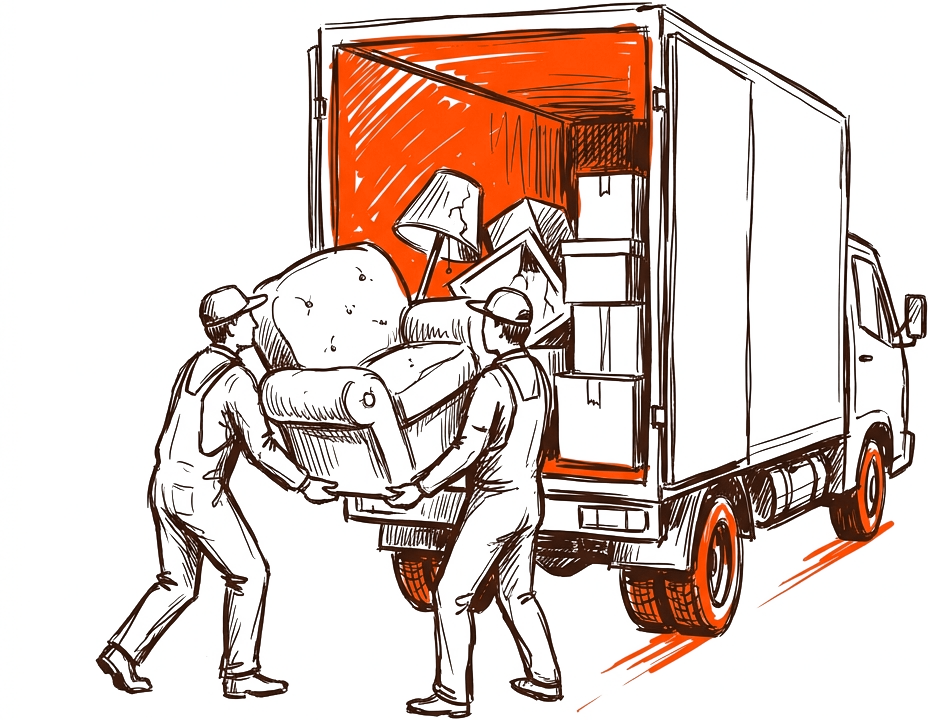
If you run a junk removal crew, you already know the money is made in the field, not at a desk. But the stuff that happens off the truck, quoting fast, locking in the appointment, and actually getting paid, is where most small outfits leak revenue. The right CRM should feel like a dispatcher, an office manager, and a bookkeeper rolled into one. This guide walks through what the best CRM for junk removal should do, where the honest tradeoffs are, and how Brivium fits.
Key takeaways
- A junk removal CRM should cover quotes, scheduling, invoicing, card payments, and a business phone line in one place.
- Speed to quote and speed to collect payment matter more than fancy reporting for most crews.
- Watch for hidden costs: per-user fees, payment processing markups, and add-ons you did not plan for.
- An all-in-one tool reduces double entry, but make sure it is simple enough that your crew actually uses it.
Why junk removal needs a different kind of CRM
A lot of CRMs were built for sales teams who nurture leads for months. Junk removal is the opposite. A customer calls with a garage full of stuff, wants a number today, and often wants it hauled this week. Your CRM has to move at that speed. That means mobile-first quoting, calendar-based scheduling you can read at a glance, and payment collection that happens on site before the truck pulls away.
The second difference is pricing. Junk jobs are priced by volume (quarter truck, half truck, full truck), by item, or by labor. Your quoting tool should handle quick line items and let you adjust on the spot when the pile turns out bigger than the photos showed.
The five features that actually matter
Ignore the long feature checklists for a minute. For a junk removal business, these five do the heavy lifting:
- Fast quotes: build a branded estimate in under a minute from your phone, by volume or line item.
- Scheduling and dispatch: a shared calendar your crew can see, with addresses and job notes attached.
- Invoicing: turn a completed job into an invoice without re-typing anything.
- Card payments: tap or key in a card on site, plus the option to text a payment link.
- A business phone line: a dedicated number so customer calls and texts stay organized and separate from your personal cell.
The underrated one
A business phone line is the feature owners forget until they are drowning. When calls, texts, and voicemails tie back to the customer record, nobody misses a callback or loses a booking.
Quotes and getting paid: where you win or lose margin
The gap between quoting and getting paid is where junk removal businesses quietly lose money. Verbal quotes get forgotten. Paper invoices get mailed and chased. Every day a payment sits unpaid is working capital you do not have on a truck.
A good CRM shrinks that gap to near zero. The customer agrees to a branded quote, you do the job, you convert the quote to an invoice, and you collect by card on the spot. No re-entry, no waiting on a check.
A worked example
Say you run a two-truck operation averaging 6 jobs a day across both trucks, at an average ticket of 350 dollars. That is roughly 2,100 dollars a day in billable work. Imagine that before, about 15 percent of invoices took 2 or more weeks to collect because of mailed invoices and phone tag. That is around 315 dollars a day in slow money, or close to 1,900 dollars floating per 6-day week.
Now collect most of that on site with card payments. You are not earning new revenue, you are getting cash in hand immediately instead of weeks later. For a small business, that cash flow swing often matters more than a few extra leads. Fewer unpaid invoices also means fewer awkward collection calls, which is time your office person gets back.
Honest tradeoffs you should weigh
No tool is perfect, and anyone who tells you otherwise is selling. Here are the real tradeoffs when you choose a CRM for junk removal:
- All-in-one vs. best-in-class: one platform means less double entry, but a dedicated accounting app may have deeper reports. For most crews, less data entry wins.
- Simple vs. configurable: heavily customizable systems can do more, but if setup takes weeks and your crew will not touch it, it fails in practice.
- Flat pricing vs. per-user pricing: per-user fees look cheap at first, then climb as you add crew. Know your total cost at 5 or 10 users.
- Payment processing rates: some tools advertise a low software price but mark up card processing. Compare the effective rate on a real 350 dollar job.
Do the math on your real volume
Before signing up for anything, price it out at your actual number of users and your actual monthly job count. The cheapest sticker price is rarely the cheapest total cost.
Where Brivium fits
Brivium is built as an all-in-one CRM for US trade and field-service businesses, which maps closely to how junk removal actually runs. You can build a branded quote from your phone, schedule and dispatch the job, convert it to an invoice, and take card payments on site. It also includes a business phone line, so calls and texts live alongside the customer record instead of scattered across personal phones.
There is also an AI coach that can help with the parts owners tend to skip, like following up on open quotes or tightening up how you describe your pricing. The goal is simple: fewer apps, less re-typing, and faster cash in the bank. If your crew finds a tool confusing, they will route around it, so Brivium leans toward being quick to use on a jobsite rather than loaded with settings you will never open.
Is it the right fit for everyone? If you need deep, enterprise-grade accounting or complex multi-branch reporting, you may still pair a CRM with a dedicated bookkeeping tool. For most owner-operated and small-fleet junk removal businesses, an all-in-one that covers quote to cash is the practical choice.
If you want quoting, scheduling, and getting paid to live in one place, Brivium gives you branded quotes, on-site card payments, and a shared calendar your crew can actually follow.
Start free trialHow to choose, step by step
- List your must-haves: quotes, scheduling, invoicing, card payments, and a business line.
- Price it at your real crew size and monthly job count, including payment processing.
- Run a free trial on a few live jobs, from quote to collected payment.
- Ask your crew if they would actually use it on the truck. If not, keep looking.
- Pick the tool that shortens the time between the quote and the money.
The best CRM for junk removal is not the one with the longest feature list. It is the one that helps you quote fast, book the job, and get paid the same day, without slowing your crew down.
Frequently asked questions
What is the best CRM for a junk removal business?
The best fit is a tool that covers quotes, scheduling, invoicing, card payments, and a business phone line in one place, is quick to use on a jobsite, and shortens the time between quoting and getting paid.
How does a CRM help me get paid faster?
It lets you convert a completed job into an invoice without re-typing and take a card payment on site or by text link, so you collect immediately instead of waiting on mailed invoices or checks.
Do I need a separate business phone line?
It helps a lot. A dedicated line keeps customer calls and texts organized and tied to the job record, so you stop missing callbacks and losing bookings on a personal cell.
Should junk removal businesses use an all-in-one CRM or separate apps?
For most small crews, an all-in-one reduces double entry and gets you paid faster. If you need enterprise-grade accounting, you may pair a CRM with a dedicated bookkeeping tool.